Toshi: Hood Warfare 2 Internal Cheat – Aimbot, ESP, Radar & More
Toshi: Hood Warfare 2 Internal Cheat is a feature-rich internal tool offering advanced aiming assistance, customizable ESP, radar, and gameplay enhancements. Designed with flexibility and customization in mind, Toshi provides a comprehensive range of features through a streamlined, user-friendly interface.
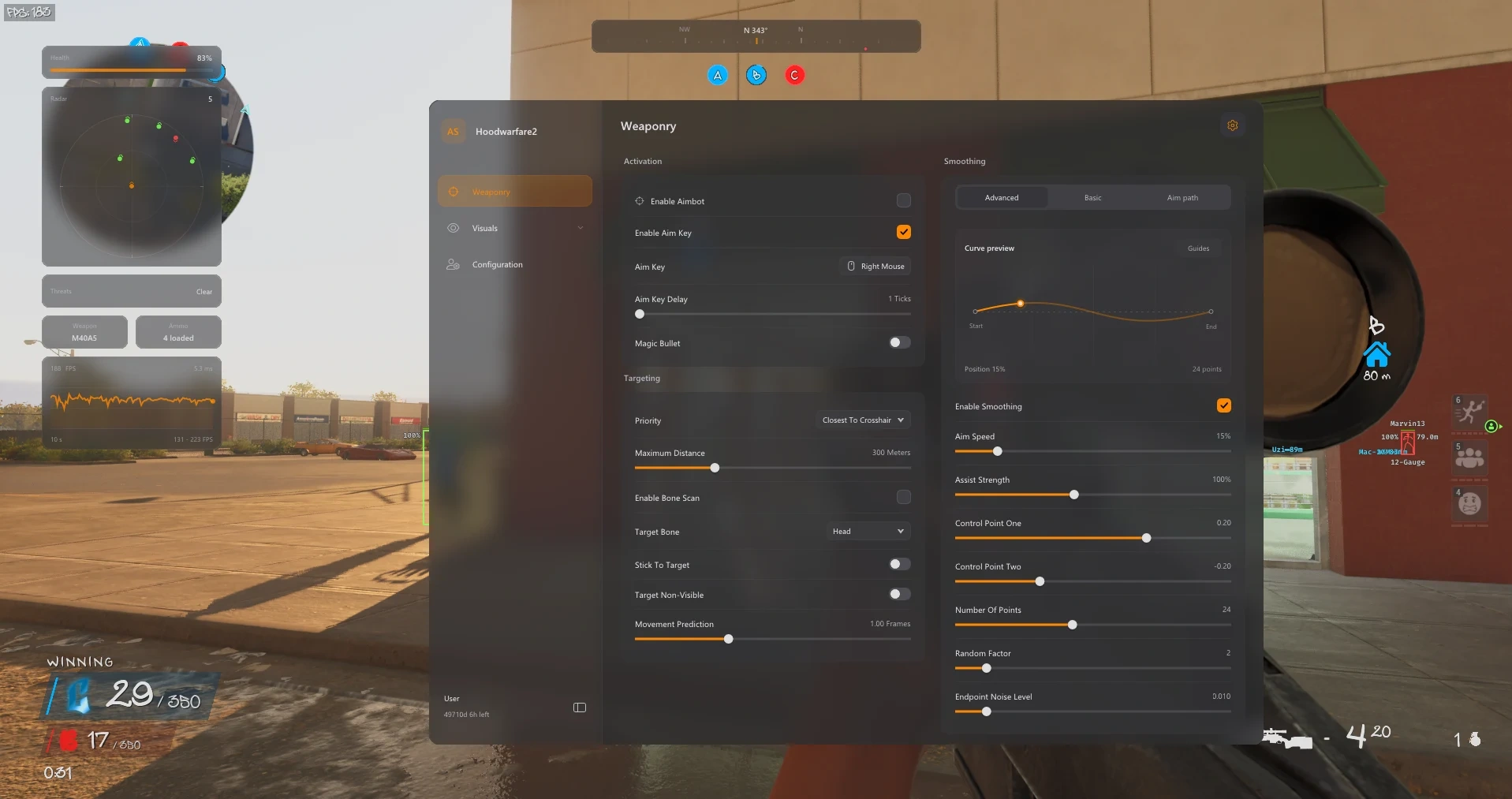
The advanced Aimbot System includes Magic Bullet, five target-priority modes, bone selection, bone scanning, movement prediction, and stick-to-target functionality. Players can customize aiming behaviour using Basic, Balanced, and Aggressive Smoothing profiles, adjustable aim speed, humanized controls, Bezier curves, and configurable aim FOV settings.
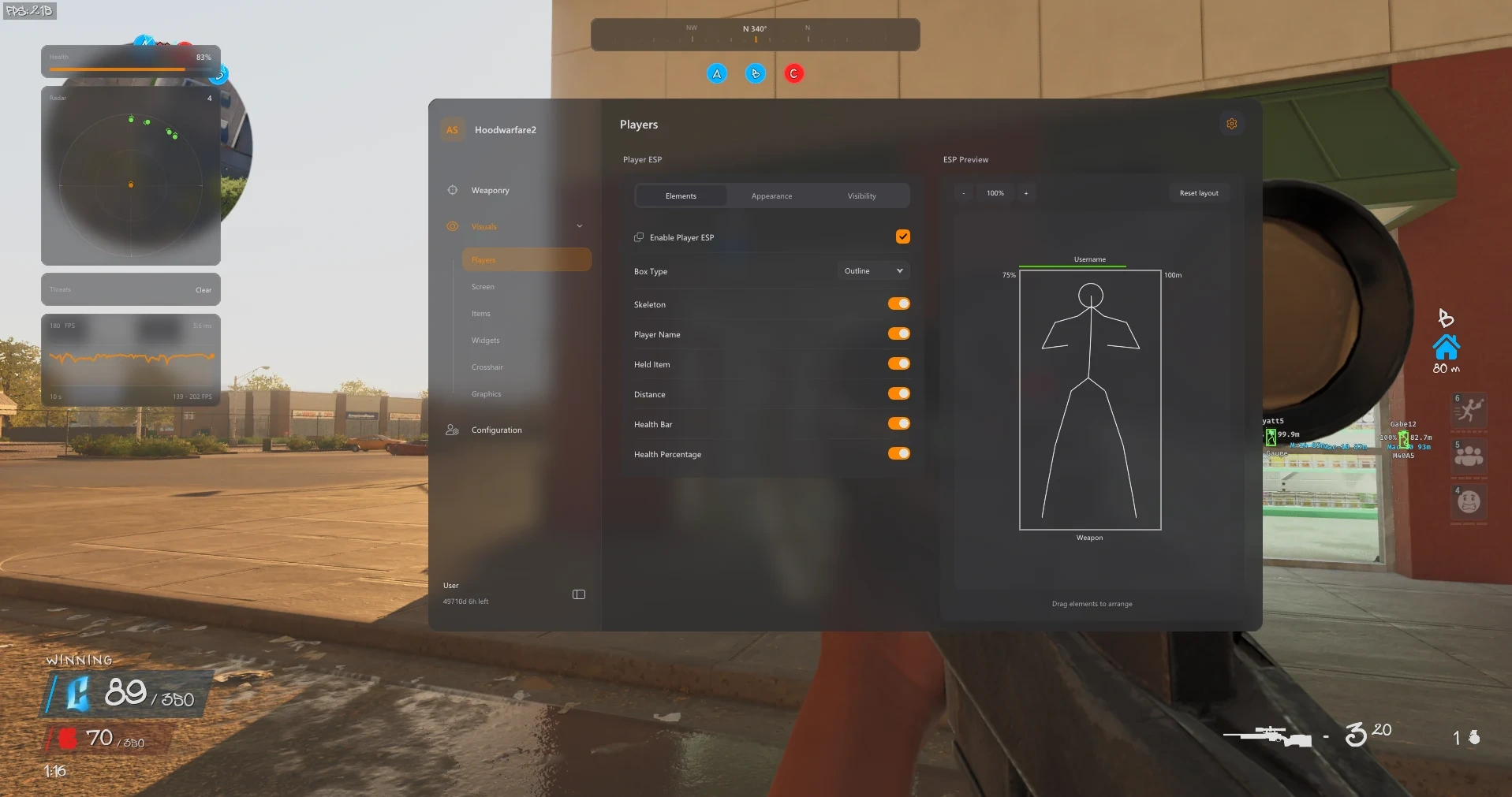
Toshi's comprehensive Player ESP includes customizable boxes, skeleton overlays, player names, distance indicators, health bars, and visibility filters. The dedicated Item & Objective ESP highlights weapons, ammunition, medkits, objectives, vehicles, and other important markers with adjustable colours and rendering distances.
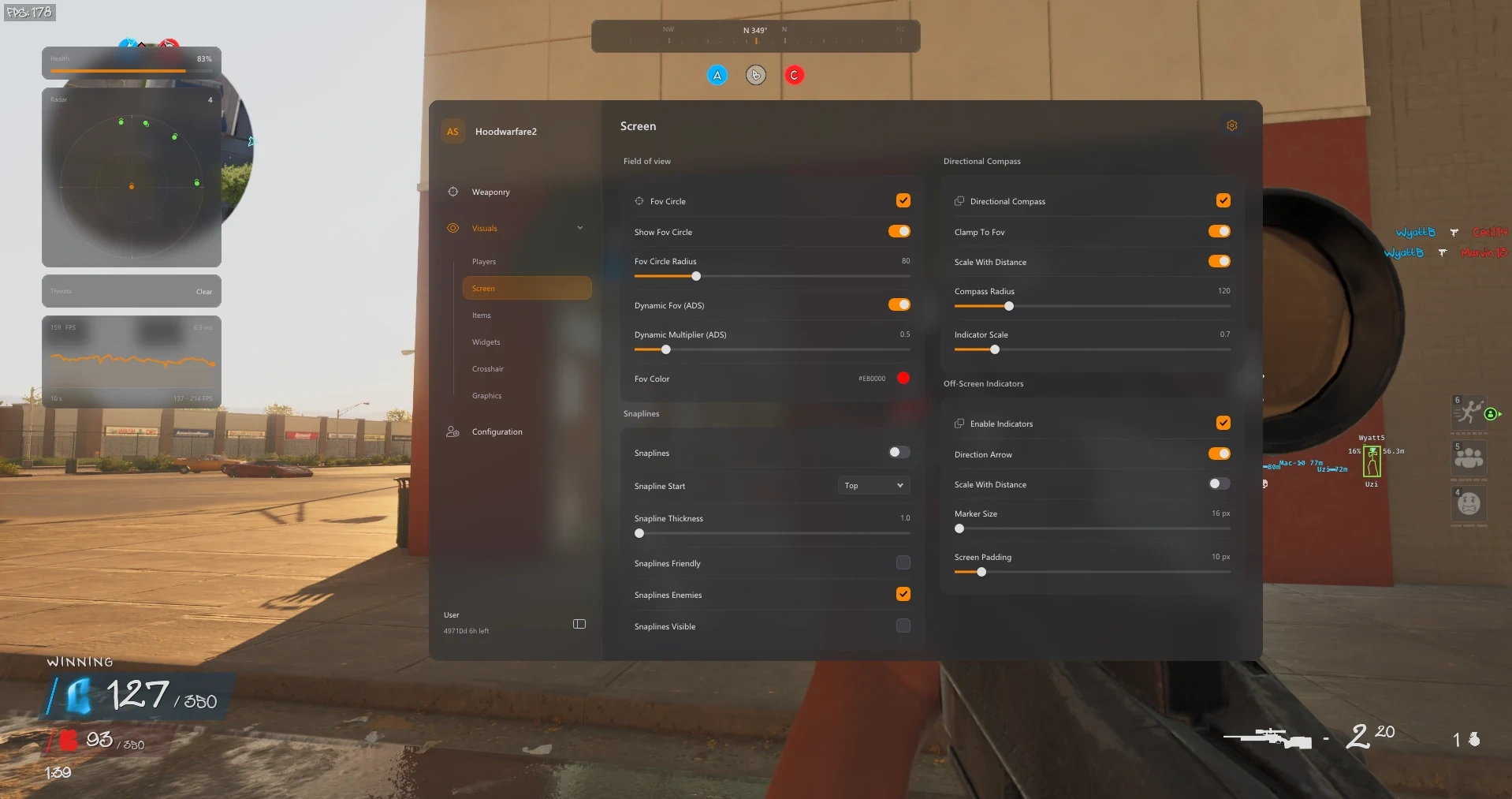
The integrated Radar & Awareness system features a customizable radar, directional compass, off-screen indicators, player snaplines, and threat warnings. Additional HUD Features include custom crosshairs, an FPS counter, weapon and ammunition displays, health widgets, and adjustable overlay settings.
Additional Miscellaneous Features include Bunny Hop, bullet tracers, impact markers, Fullbright, No Fog, custom lighting, camo cycling, an in-game music player, and a speed editor with adjustable multipliers. Toshi also provides Graphics Controls for motion blur, film grain, depth of field, and camera FOV, alongside saveable configuration profiles for personalized setups.
Combining advanced targeting, detailed ESP, customizable visuals, and extensive gameplay utilities, Toshi: Hood Warfare 2 Internal Cheat offers a complete collection of features for players seeking greater control and customization in Hood Warfare 2.
Aimbot & Targeting
Advanced targeting and aim customization.
Enable Aimbot with Optional Aim Key
Adjustable Aim-Key Delay
Magic Bullet Toggle
Five Target-Priority Modes
Target Bone Selection & Bone Scan
Stick-to-Target Control
Non-Visible Target Selection
Maximum Target Distance
Movement Prediction
Smoothing & Aim FOV
Customizable aim behavior and precision controls.
Basic Smooth, Balanced & Aggressive Profiles
Basic Strength & Humanized Controls
Advanced Aim Speed & Assist Strength
Bezier Curve Points, Random Factor & Endpoint Noise
Aim-Path & Assist-Point Visualizer
Adjustable Targeting FOV Radius & Colour
Dynamic FOV Multiplier When Aiming Down Sights
Player ESP
Player information and visual awareness settings.
Outline, Corner & Filled Boxes
Skeleton Overlay
Player Names & Held-Item Labels
Distance Labels
Health Bar & Health Percentage
Team, Enemy & Self Filters
Ignore Non-Visible Players Option
Player Render-Distance Control
Friendly, Enemy & Visible-Enemy Colours
ESP Preview with Editable Element Placement
Item & Objective ESP
Display important items and objectives.
Weapon Pickups
Ammo Boxes & Medkits
Objective & Bomb Markers
Bullet Markers
Drive-By Car Markers
Suicide Blast Markers
Item Names & Distance Labels
Outline, Corner & Filled Item Boxes
Item Colour & Maximum-Distance Controls
Radar & Awareness
Advanced radar and directional awareness tools.
Radar Size, Scale & Blip-Radius Controls
Directional Compass
Compass Bar with Player & Team Markers
Off-Screen Direction Arrows
Distance-Scaled Indicators
Marker Size & Screen-Padding Controls
Friendly, Enemy & Visible-Player Snaplines
Threat-Warning Widget
HUD & Crosshair
Customizable crosshairs and on-screen widgets.
Custom Crosshair with Presets
Crosshair Colour, Gap, Length & Thickness
Crosshair Rotation Controls
FPS Counter & Frame-History Graph
Equipped-Weapon & Loaded-Ammo Widgets
Healthbar Widget
Widget Opacity & Layout Reset
Graphics Controls
Customize in-game graphics and visual effects.
Enable or Disable Graphics Overrides
Disable Film Grain
Disable Chromatic Aberration
Disable Motion Blur
Disable Depth of Field
Camera Field-of-View Override
Configuration Profiles
Save and manage personalized configurations.
Save Named Configurations
Browse & Load Saved Profiles
Delete Custom Profiles
Default Profile Retained
Separate Aim & Visual Setups
Miscellaneous
Additional gameplay, visual and customization tools.
Bunny Hop with Configurable Keybind
In-Game Music Playback
Previous, Next, Pause, Resume & Volume Controls
Movable Music Player Widget
Bullet Tracers Starting at the Weapon Muzzle
Customizable Tracer Colour, Thickness & Duration
Optional Impact Markers with Custom Colour
Sun Color, Fullbright & No Fog
Fullbright Brightness Slider
Lighting Controls
Camo Selector: Off, Automatic Cycle & Selected Camo
Adjustable Camo Cycling Interval (0.1–15 Seconds)
Speed Editor with 1x–9x Multiplier