Toshi: Delta Force Internal – Advanced Aimbot, ESP & Custom HUD Toolkit
Enhance your gameplay experience with Toshi: Delta Force Internal – a modern internal toolkit designed for precision aiming, advanced visuals, and full interface customization. Built with a sleek modular design and optimized performance in mind, Toshi delivers smooth functionality and extensive personalization for players who want maximum control.
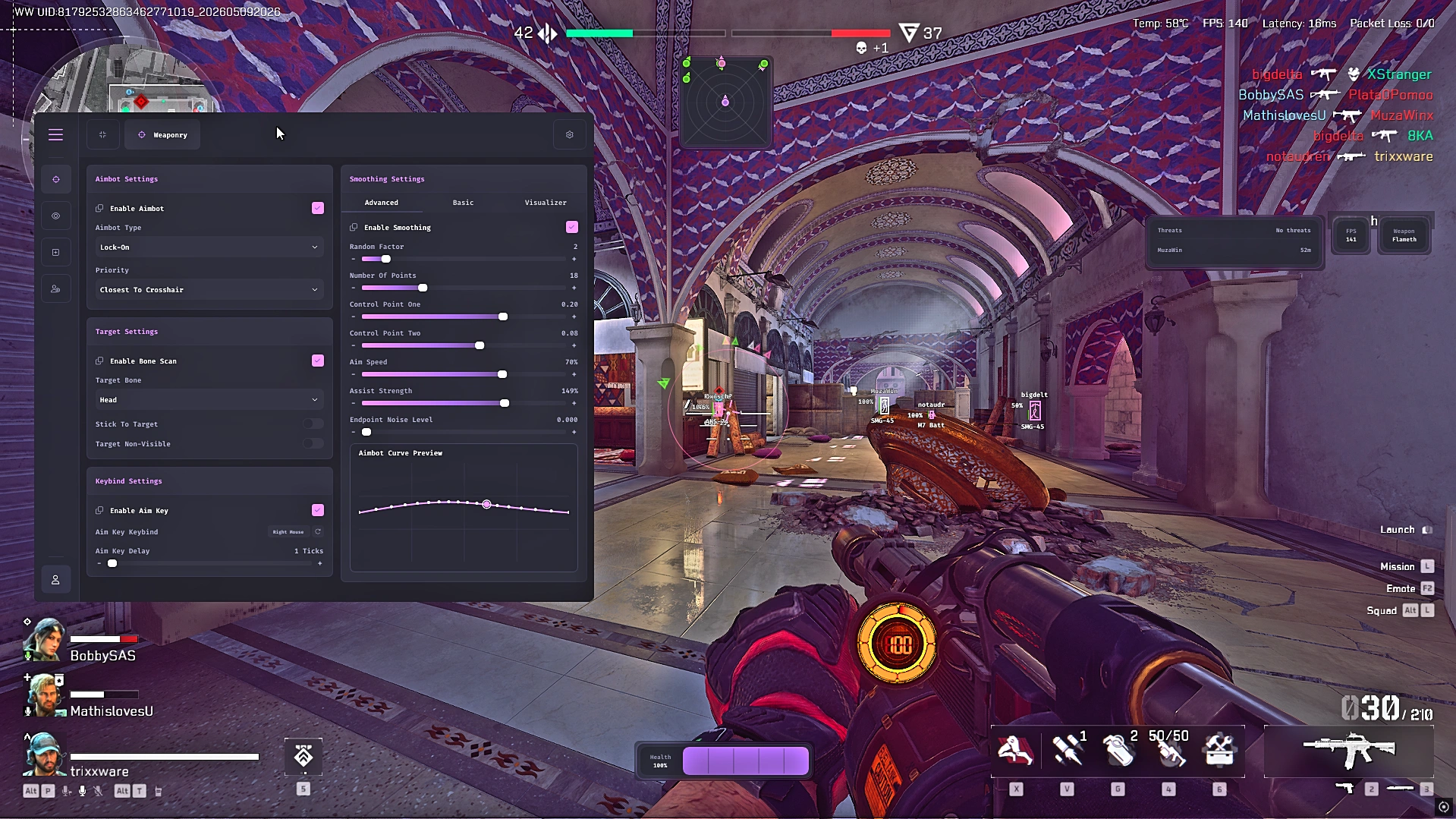
The Aimbot System provides highly customizable targeting with adjustable smoothing, aim speed, assist strength, lock-on support, and advanced curve editing. Fine-tune your setup using selectable target bones, closest-to-crosshair priority, bone scanning, visibility checks, and configurable aim key bindings. Real-time curve previews and randomized smoothing options allow for a fluid and natural aiming experience.
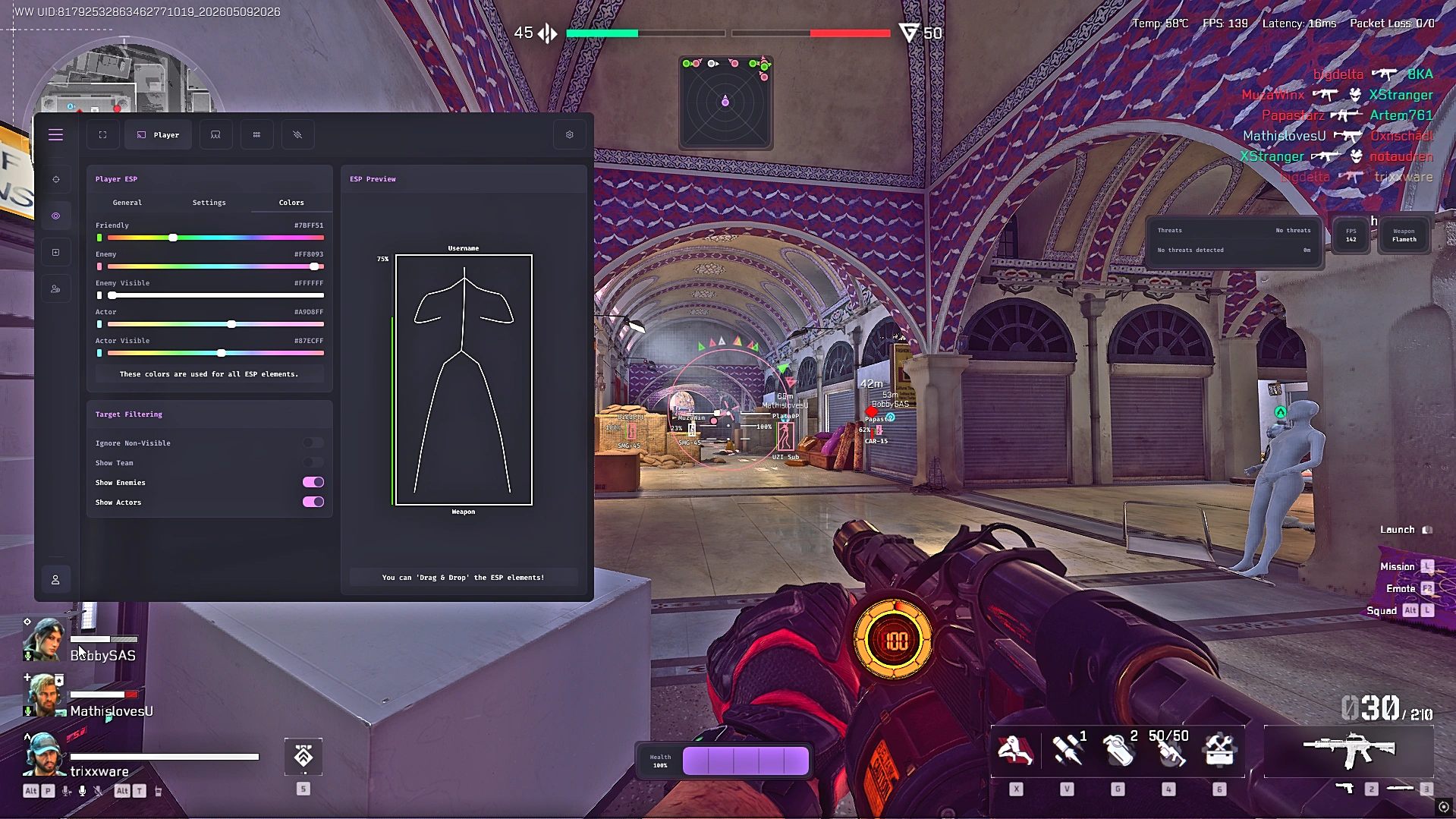
The ESP & Visual Suite improves awareness with fully customizable player visuals, including enemy and friendly colors, visible target indicators, actor filtering, snaplines, directional compass overlays, and adjustable FOV circles. The drag-and-drop ESP preview system allows you to personalize on-screen information exactly how you want it displayed.
Included Widgets & HUD Modules provide additional tactical information with radar overlays, healthbars, threat warning systems, FPS counters, and weapon display widgets. Adjustable scaling, sizing, and auto-width options ensure every element integrates cleanly into your setup without cluttering the screen.
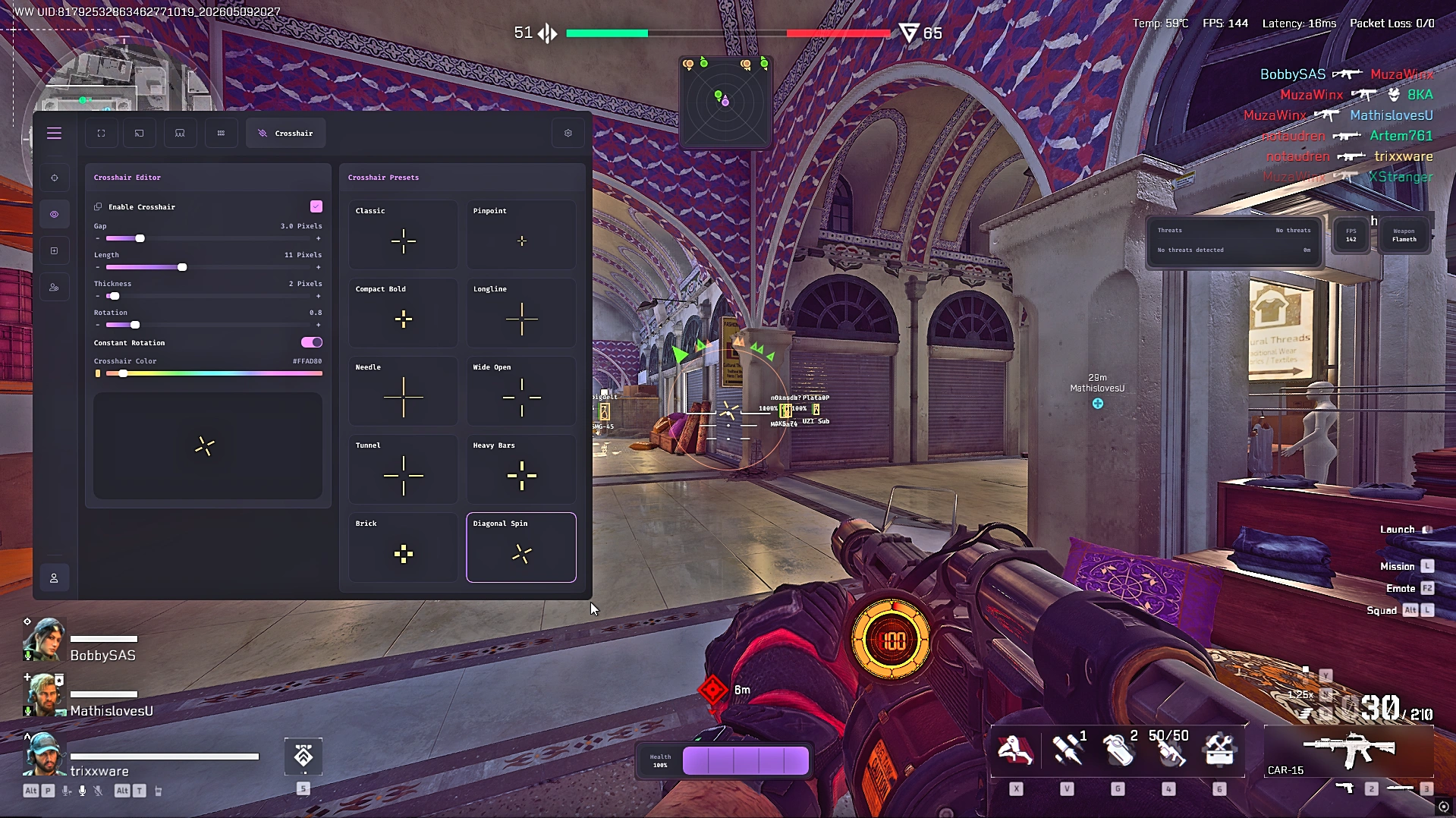
The built-in Crosshair Editor offers complete customization with adjustable gap, thickness, rotation, color controls, and animated rotation effects. Multiple presets such as Classic, Needle, Tunnel, Heavy Bars, and Diagonal Spin let you quickly switch between different styles to match your preference.
Additional features such as the Sun Changer, modern dark-themed interface, controller support, and advanced configuration manager provide even more flexibility. Save, export, import, and share your configurations instantly while enjoying a responsive UI designed for smooth navigation and real-time previews.
With its lightweight performance, advanced customization systems, and polished interface, Toshi: Delta Force Internal delivers a premium all-in-one experience focused on precision, visibility, and complete user control.
Overview
Engineered for accuracy, visibility, and smooth targeting
Full controller support included
Aimbot
Advanced targeting and aiming customization system.
Enable / Disable Aimbot
Aimbot Type Selection
Lock-On System
Priority Target Selection
Closest To Crosshair Priority
Bone Scan System
Select Target Bone
Stick To Target
Non-Visible Target Support
Aim Key Bind Support
Adjustable Aim Key Delay
Advanced Aim Smoothing
Randomized Smoothing Factor
Adjustable Smoothing Points
Dual Control Point Curve Editor
Adjustable Aim Speed
Assist Strength Control
Endpoint Noise Randomization
Real-Time Aim Curve Preview
ESP
Player visuals and ESP customization tools.
Player ESP
Friendly Player Colors
Enemy Player Colors
Visible Enemy Colors
Actor / NPC Colors
Visible Actor Colors
ESP Preview Window
Ignore Non-Visible Targets
Team Filtering
Enemy Filtering
Actor Filtering
Drag & Drop ESP Customization
Screen Features
On-screen overlays and visual enhancements.
Snaplines
Friendly Snaplines
Enemy Snaplines
Visible Target Snaplines
FOV Circle
Adjustable FOV Radius
Dynamic ADS Multiplier
Custom FOV Colors
Directional Compass Overlay
Clamp To FOV
Distance Scaling
Compass Radius Adjustment
Indicator Scale Adjustment
Widgets
Customizable HUD widgets and overlays.
Radar Widget
Adjustable Radar Size
Adjustable Radar Scale
Adjustable Blip Radius
Healthbar Widget
Threat Warning Widget
FPS Counter Widget
Weapon Display Widget
Auto Width Scaling
Crosshair
Fully customizable crosshair editor and presets.
Custom Crosshair Editor
Adjustable Gap
Adjustable Length
Adjustable Thickness
Rotation Control
Constant Rotation Mode
Custom Crosshair Colors
Live Crosshair Preview
Classic Preset
Pinpoint Preset
Compact Bold Preset
Longline Preset
Needle Preset
Wide Open Preset
Tunnel Preset
Heavy Bars Preset
Brick Preset
Diagonal Spin Preset
Miscellaneous
Extra utilities and customization features.
Sun Changer
Custom Sun Color Control
Modern Dark Theme Interface
Neon Accent Styling
Tabbed Navigation System
Real-Time Visual Previews
Modular Widget Layout
Toggle-Based Settings
Slider-Based Fine Tuning
Dropdown Selection Menus
Sidebar Navigation
Minimalist Dashboard Design
Controller Support
Configuration
Save, manage, import, and share configurations.
Save Configurations
Config Browser
Export Configs
Generate Shareable Config Keys
Copy Config To Clipboard
Import Configs
Save Imported Configurations
Config Rename Support
Config Last Write Tracking