Arcane Mod Menu for Halloween The Game
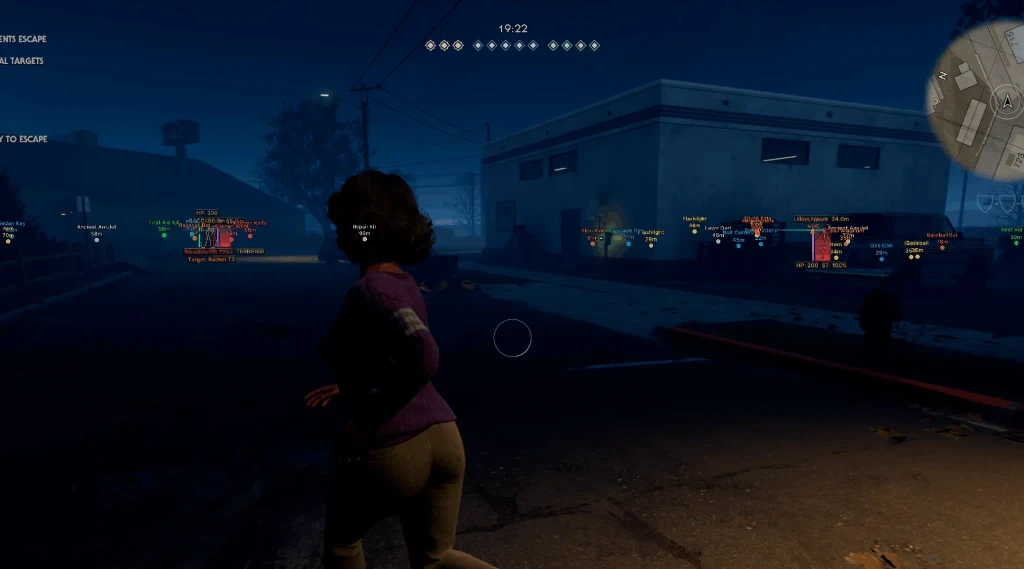
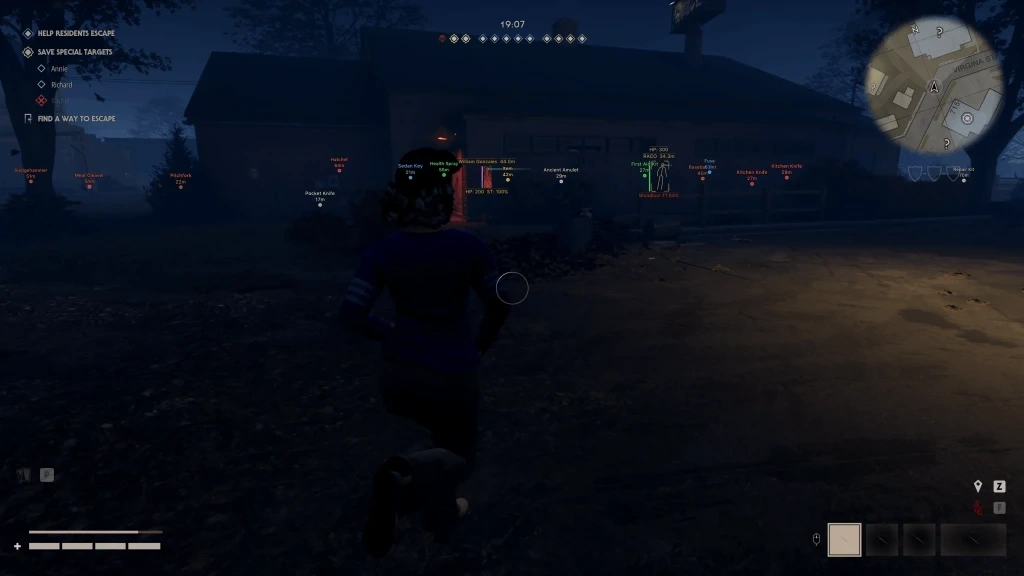
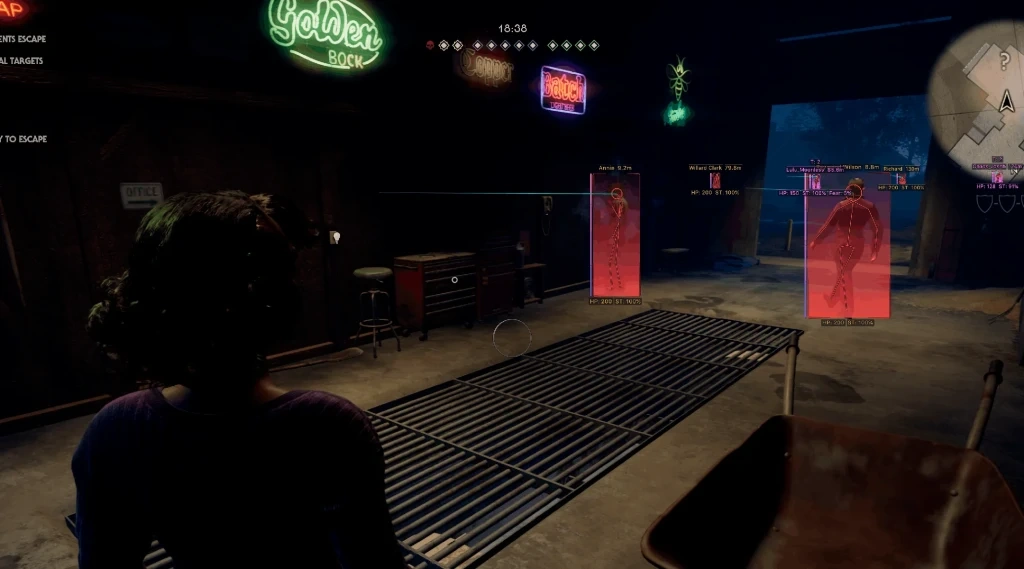
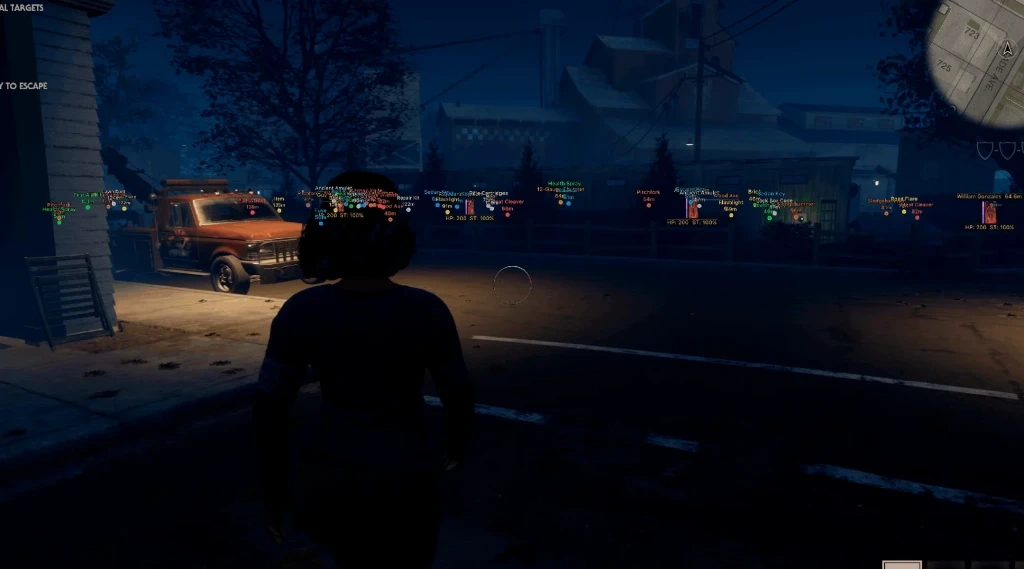
Arcane for Halloween The Game — powerful and reliable software from a time-tested developer, featuring the core tools for playing both as the killer and as the survivors. Detailed ESP displays players, their attributes, states, and nearly all key items on the map, while flexible filters allow you to keep only the information you really need on the screen.
The built-in Aimbot helps you lock onto selected targets faster, offering настройки for bones, FOV, smoothness, distance, and priorities. Radar Hack additionally shows entity locations and the direction of their movement.
Among the extra features are Fullbright, FOV Changer, Off-Screen Arrows, and a custom crosshair, which make the game interface more informative and improve visibility in various situations.
System Requirements
Operating system: Windows 10, Windows 11 (21H2, 22H2, 23H2, 24H2, 25H2)
Processor: Intel & AMD
Video card: Nvidia & AMD
Client: Steam, Epic Games
Aimbot (Aim Bot)
Enable – enables the aimbot
Aim Key – key to activate the aimbot
Mode – allows you to select the aimbot operating mode
Target – selects the priority target for aiming
Ignore List – list of targets the aimbot will ignore
Bone – selects the body part to aim at
Adaptive FOV – automatically adjusts the aiming area based on the distance to the target
Draw FOV Border – displays the border of the aimbot's effective area
Draw FOV Background – adds a fill to the FOV area
FOV Size – adjusts the size of the aimbot's effective area
Smooth – adjusts aiming smoothness
Max Distance – sets the maximum aimbot working distance
Survivors ESP (Wallhack)
ESP Style – allows you to choose the display style for survivor ESP
Bounding Box – displays a box around survivors
Box Fill – adds a fill inside the box
Skeleton – displays the survivors' skeletons
View Line – shows the player's view direction
Line to Enemy – displays a line to the enemy
Health Bar – shows the health bar
Health Text – displays the numeric health value
Name – shows the player's name
Team ID – displays the team identifier
Distance – shows the distance to the player
Stamina – displays the stamina level
Fear – shows the fear level
Stalk Level – displays the stalk level
Status Effects – shows active status effects
Carried State – displays the carried player state
Show Team – enables ally display
Show Knocked – displays knocked survivors
Show Bots – displays bots
Max Distance – sets the maximum display distance
Killer ESP (WH)
ESP Style – allows you to choose the killer display style
Bounding Box – displays a box around the killer
Box Fill – adds a fill inside the box
Skeleton – displays the killer's skeleton
View Line – shows the killer's view direction
Line to Enemy – displays a line to the killer
Health Bar – shows the health bar
Health Text – displays the numeric health value
Bloodlust – displays the bloodlust level
Detainment – shows the detainment state
Current Target – displays the killer's current target
Max Distance – sets the maximum display distance
Items ESP (Loot)
Distance – shows the distance to items
Transparency – adjusts the transparency of item display
Weapon – displays weapons
Firearm – displays firearms
Two-handed – displays two-handed weapons
Equipment – displays equipment
Illumination – displays lighting items
Healing – displays healing items
Escape Items – displays escape items
Other – displays other items
Max Distance – sets the maximum display distance
Radar Hack
Enable – enables the radar
Entities – allows you to choose which entities to display
Distance Rings – displays distance rings on the radar
FOV Cone – shows the view direction and FOV area on the radar
Scale by Distance – changes the size of objects on the radar depending on distance
Zoom – adjusts the radar zoom
Size – adjusts the radar size
Transparency – adjusts the radar transparency
Other Arcane Halloween Features
Off-Screen Arrows – shows the direction to players outside the screen as arrows (customizable)
Fullbright – increases the brightness of the game environment
FOV Changer – allows you to change the camera field of view
Menu Key – allows you to change the menu open key
Unload Key – allows you to assign a key to unload the software
Crosshair – adds a custom crosshair
DPI Scale – adjusts the interface scale