Arcane: PUBG Blindspot Cheat – Undetected Players ESP & Advanced Visual Tools
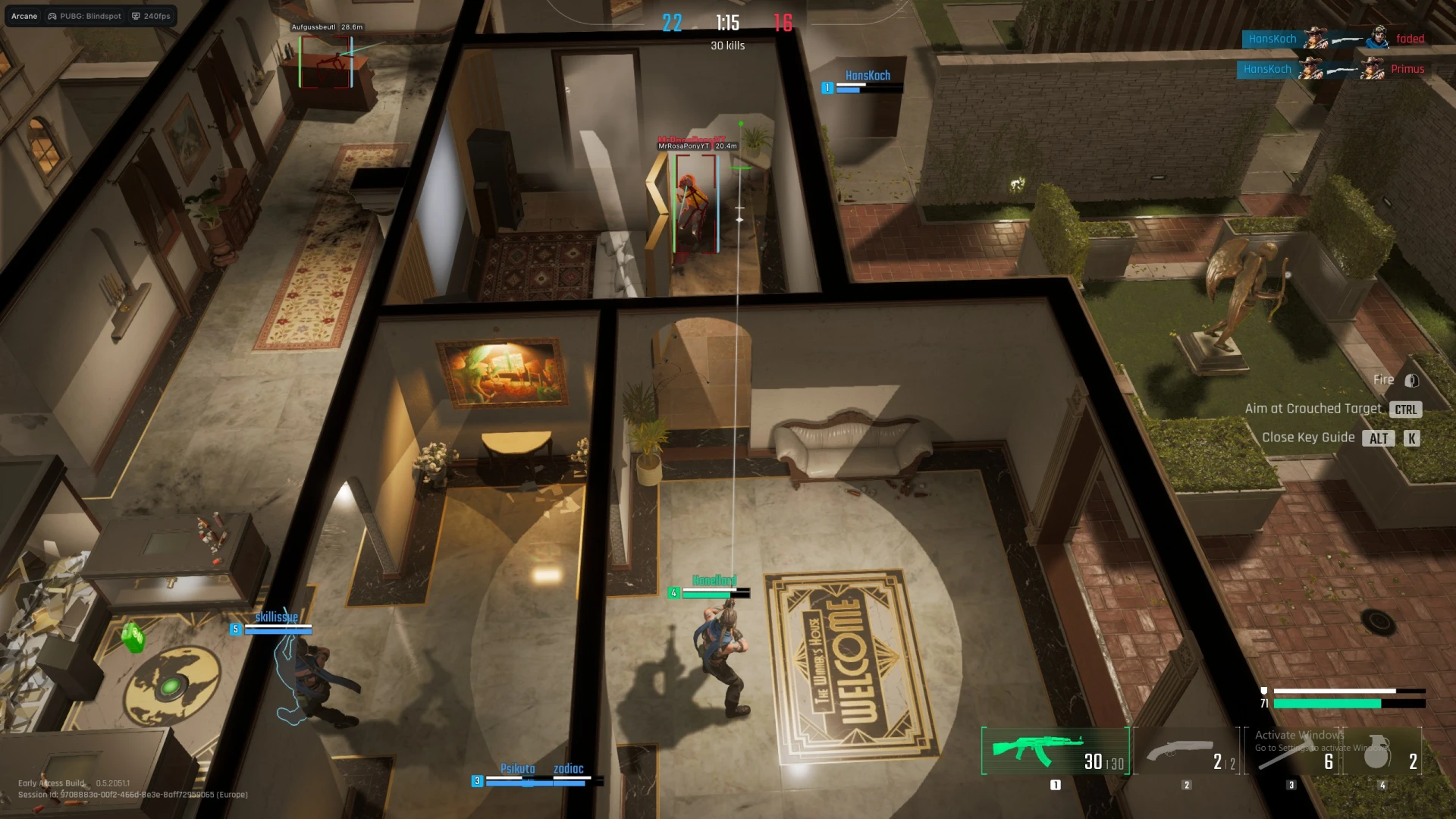
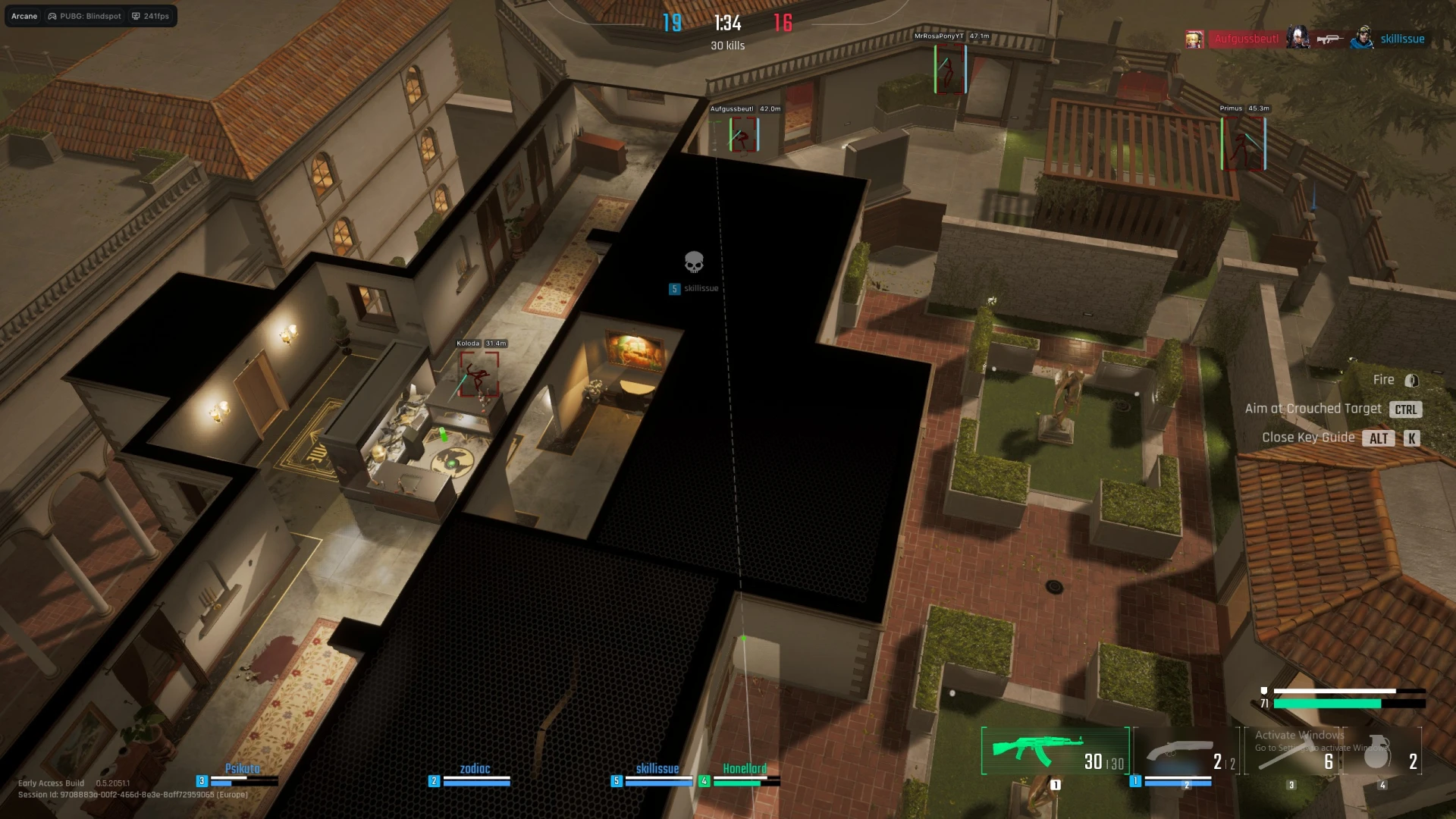
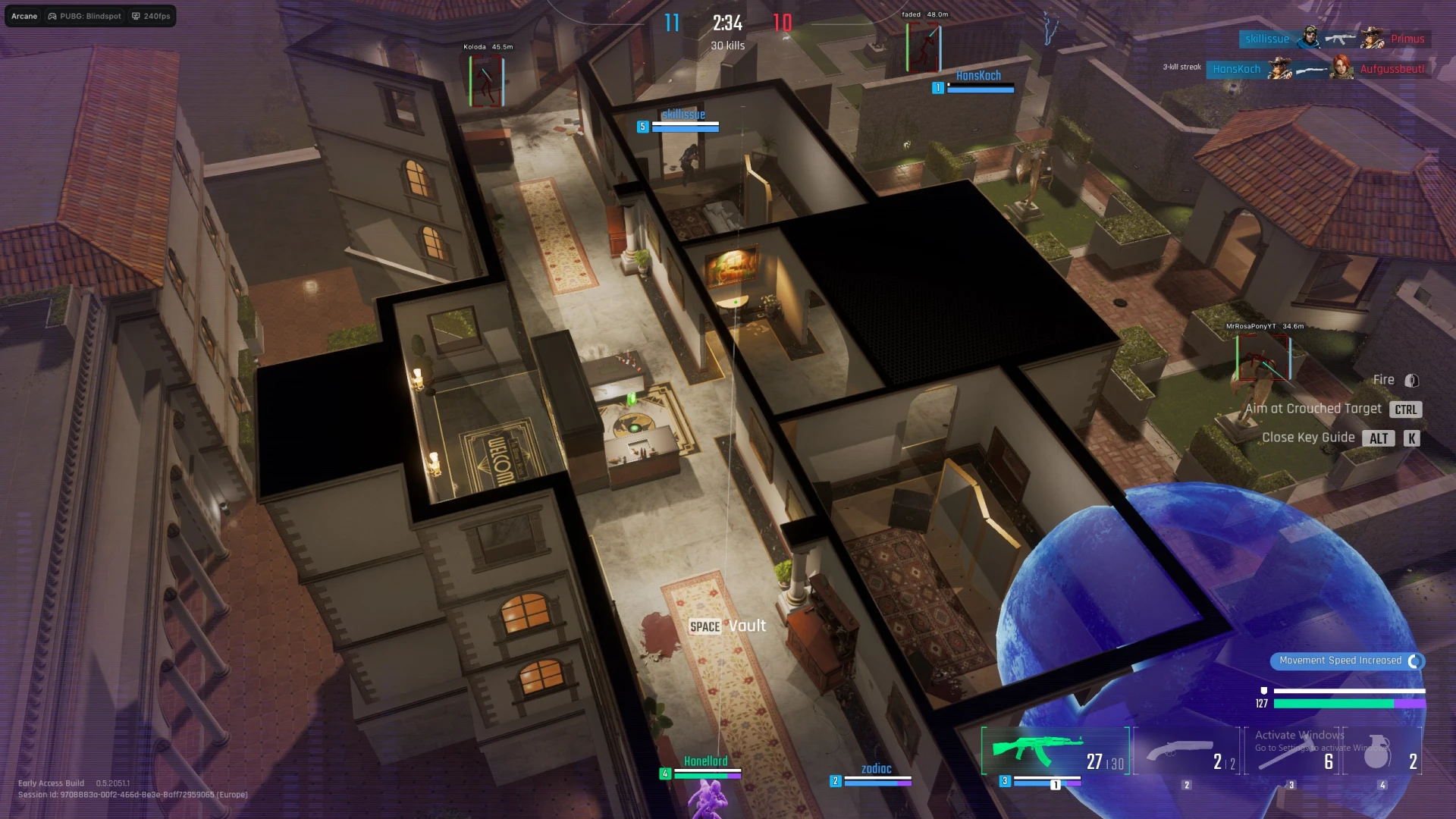
Arcane: PUBG Blindspot is a premium external undetected solution built for players who rely on information, positioning, and precision. Designed specifically for PUBG: Blindspot, it delivers a powerful Players ESP system with fully customizable visuals for maximum battlefield awareness.
The Players ESP provides detailed on-screen information, including configurable bounding boxes, skeleton rendering, health and armor bars, player names, and distance indicators. Choose between background or no-background ESP styles, adjust colors and gradients, and limit rendering range with max distance controls for a clean and optimized display.
Additional visual tools such as view lines and line-to-enemy indicators help track enemy positioning and movement in real time. Every visual element is fully adjustable, allowing you to tailor the ESP layout to your playstyle without cluttering your screen.
Arcane also includes extensive settings and configuration options, such as menu and unload keybinds, DPI scaling, FPS limiting, theme selection (Murky or Sunny), watermark toggle, and multi-language support. Built-in configuration management lets you create, load, rename, and delete presets instantly.
Fully compatible with the latest PUBG: Blindspot builds on Windows 10 & 11, Arcane runs externally and remains undetected, providing consistent performance and control in every match.
NOTICE
This product does NOT support controllers natively. To use it with a controller, third-party software such as reWASD is required.
Requirements
Supported game mode: Windowed / Fullscreen (Windowed)
Supported processors: Intel & AMD
Supported OS: Windows 10–11 x64 (Build 2004+)
Supported builds: 1903 to latest
Support for invisibility in recordings/screenshots: No
Players ESP
Visual customization options for displaying players and enemies.
ESP Style – With background / No background
Bounding Box – Box or Corner
Fill Box – Static or Gradient
View Line – Start color / End color
Line to Enemy – Color and position
Health Bar – Static, Health-based, or Gradient
Armor Bar – Static or Gradient
Skeleton – Adjustable thickness with head circle
Name – Display player name
Distance – Show distance to target
Max Distance – Maximum ESP render distance
Settings
Interface, performance, and customization settings.
Menu Keybind – Open menu hotkey
Unload Keybind – Safe unload shortcut
DPI Scale – UI scaling adjustment
FPS Limit – Performance frame cap
Theme – Murky or Sunny
Watermark – Toggle on/off
Language – EN, RU, CN
Configuration
Save, load, and manage custom configurations.
Create Config – Save a new configuration
Load Config – Apply saved settings
Rename Config – Edit configuration name
Delete Config – Remove saved configuration